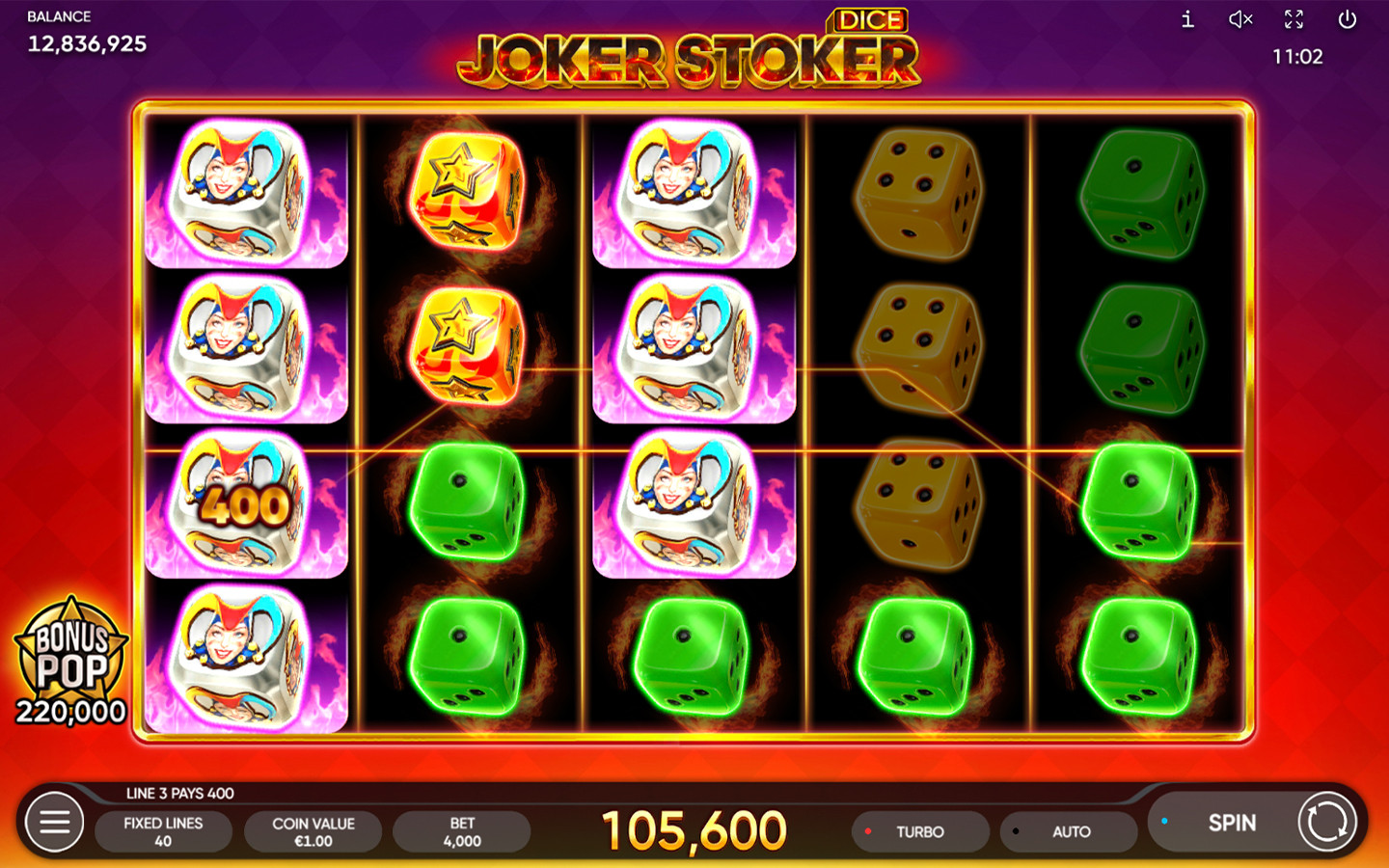
These rules follow the English help of the original Joker Stoker, cross-checked against the Russian text on 6 November 2026. The reference client used EUR and help version 1.1. If you’re playing Dice, start with the version guide.
You can open the English game help to compare these rules with the original demo yourself.
Read a winning line from left to right
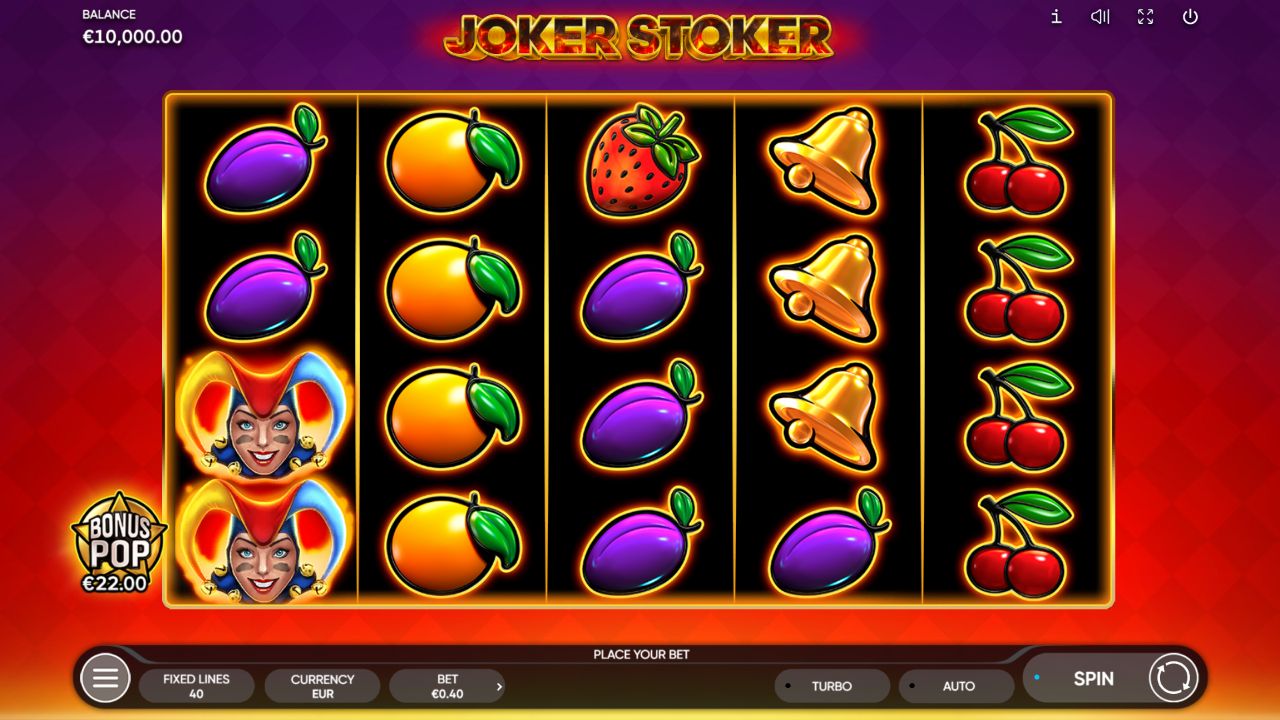
The grid has five reels and four rows, with 40 fixed paylines. A payline is a set path through that grid, and it can change rows as it crosses the reels. So when you see a group of matching symbols, check it against the line diagrams in the information panel. Counting matching pictures anywhere on the screen won’t tell you whether an ordinary line pays.
For any one line, go through these checks in order:
- Find where the line sits on the leftmost reel. Ordinary winning combinations start there.
- Follow the same line across the neighbouring reels without skipping a reel.
- Note the matching symbols along that path, and any Joker Wild that can substitute.
- Look up the three-, four- or five-symbol amount in the paytable.
- Keep only the highest qualifying combination for that line, then add the awards from other winning lines.
A longer match on one line doesn’t also collect every shorter award below it. If the line qualifies as four matching symbols, for example, it doesn’t get a separate three-symbol award as well. Adding wins together only applies across different lines.
Scatters need a separate count, because they don’t have to follow a payline. When a result looks busy, finish checking the line paths first, then count the Free Games symbols. That keeps two questions apart: does an ordinary combination pay, and is the Scatter condition for the feature met?
Check the stake before reading an amount
The cash paytable depends on the selected stake. The recorded desktop client showed €0.40 as the total stake, and its help gave a total-stake range of €0.40–€140.00. These are EUR settings from that inspection. A figure copied without its currency or its selected stake isn’t a reliable basis for comparing another screen.
Open the i panel before you start, and read the stake together with the paytable. If you change the stake, go back to the amounts on screen instead of relying on an earlier screenshot: the help says the cash awards change with the selected stake. Forty fixed lines describe how combinations are evaluated. They don’t turn the total stake into a number of active lines you can choose.
The main Spin button starts a spin. Bonus Pop opens a separate purchase, and its full price needs its own check. The inspected interface also showed Turbo and Auto. We didn’t test their limits or when they stop, so this guide gives no spin count, speed setting or automatic stop rule for either button.
The inspection itself consisted of reading screens, help and prices. It didn’t include spins, feature purchases or Risk Game rounds. The demo page shows you where the information panel is, so you can compare what your client displays.
Match each symbol to the €0.40 paytable
Every amount below is a cash award in EUR at a €0.40 total stake. The columns show how many of the same symbol you need on a line, with substitution rules applied. They don’t show what a spin costs or how likely that count is.
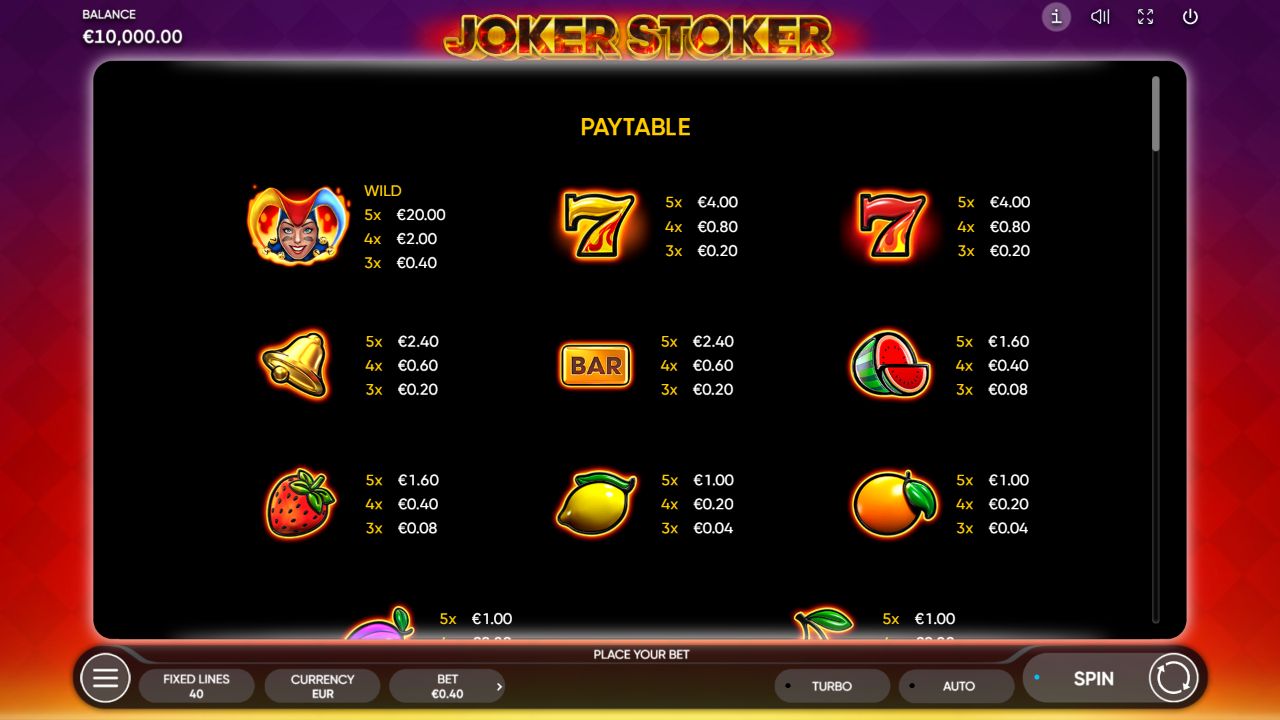
| Matching symbol | 3 symbols | 4 symbols | 5 symbols |
|---|---|---|---|
| Joker Wild | €0.40 | €2.00 | €20.00 |
| Gold seven | €0.20 | €0.80 | €4.00 |
| Red seven | €0.20 | €0.80 | €4.00 |
| Bell | €0.20 | €0.60 | €2.40 |
| BAR | €0.20 | €0.60 | €2.40 |
| Watermelon | €0.08 | €0.40 | €1.60 |
| Strawberry | €0.08 | €0.40 | €1.60 |
| Lemon | €0.04 | €0.20 | €1.00 |
| Orange | €0.04 | €0.20 | €1.00 |
| Plum | €0.04 | €0.20 | €1.00 |
| Cherry | €0.04 | €0.20 | €1.00 |
Each symbol keeps its own row, even where all three numbers are the same. Bell and BAR pay the same amounts, but they’re still different symbols. A line that mixes them doesn’t qualify just because both rows are priced alike. Read the pictures first, then the number.
Here’s a reading exercise. Say four bells sit on neighbouring reels, starting on the leftmost reel and following one valid payline. If the selected total stake is €0.40 and the result counts as a four-bell combination, that line uses the €0.60 entry. This is a made-up example, not a recorded spin, and it says nothing about other lines on the same screen.
A second calculation turns the listed five-Wild award into a multiple of the stake: €20.00 ÷ €0.40 = 50×. Both numbers come from the same inspected configuration. The top number is one line’s award, and the bottom number is the total stake. The ratio helps you make sense of the amount on screen, but it can’t tell you the maximum for the whole round or what you’re likely to get back.
Separate substitution, stacks and Scatters
The Joker Wild can stand in for other symbols except Scatter. On an ordinary line, a Joker can therefore help make a qualifying combination. For Free Games, it can’t count as a missing Scatter: two real Scatters plus a Joker don’t meet the three-Scatter condition.
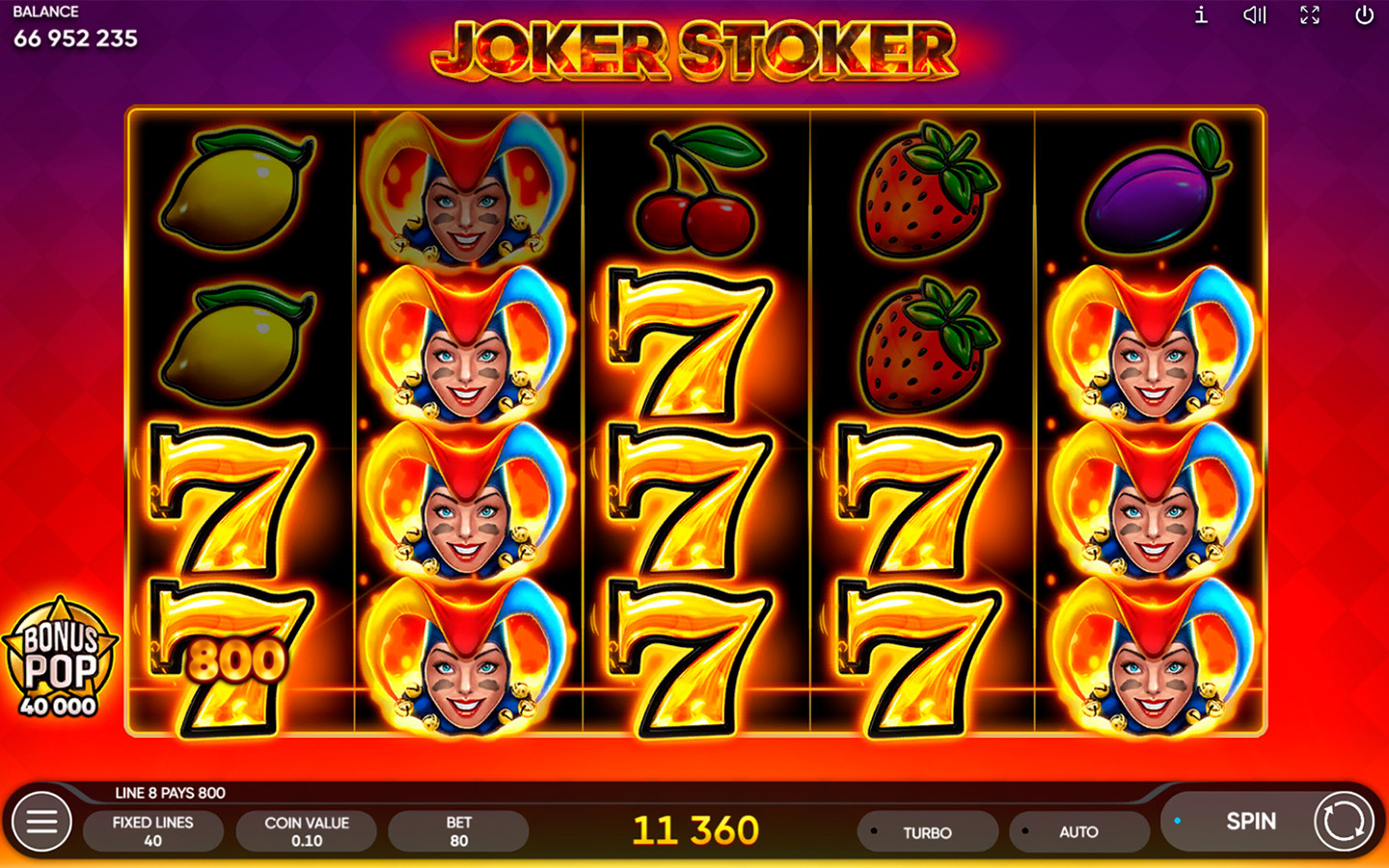
Stacks are about where Wild symbols land. The help describes stacked Wilds in the main game and possible stacks in Free Games, and where a stack stops can leave a reel partly or fully covered. Seeing one Joker on a reel isn’t enough to assume all four positions on that reel are Wild.
Keep these three visual questions apart:
| What you’re checking | Rule that applies |
|---|---|
| A Joker sits in a position on a line | Apply substitution, except for Scatter |
| Several Jokers sit on one reel | Check which positions are actually covered; a stack can be partial |
| Free Games symbols sit on different rows | Count the Scatters anywhere on the reels |
A stack tells you which positions hold a Wild. It doesn’t add a multiplier to the paytable.
Read the Free Games award and continuation rules
The symbol labelled Free Games is the Scatter. For the first trigger, the help gives this schedule:
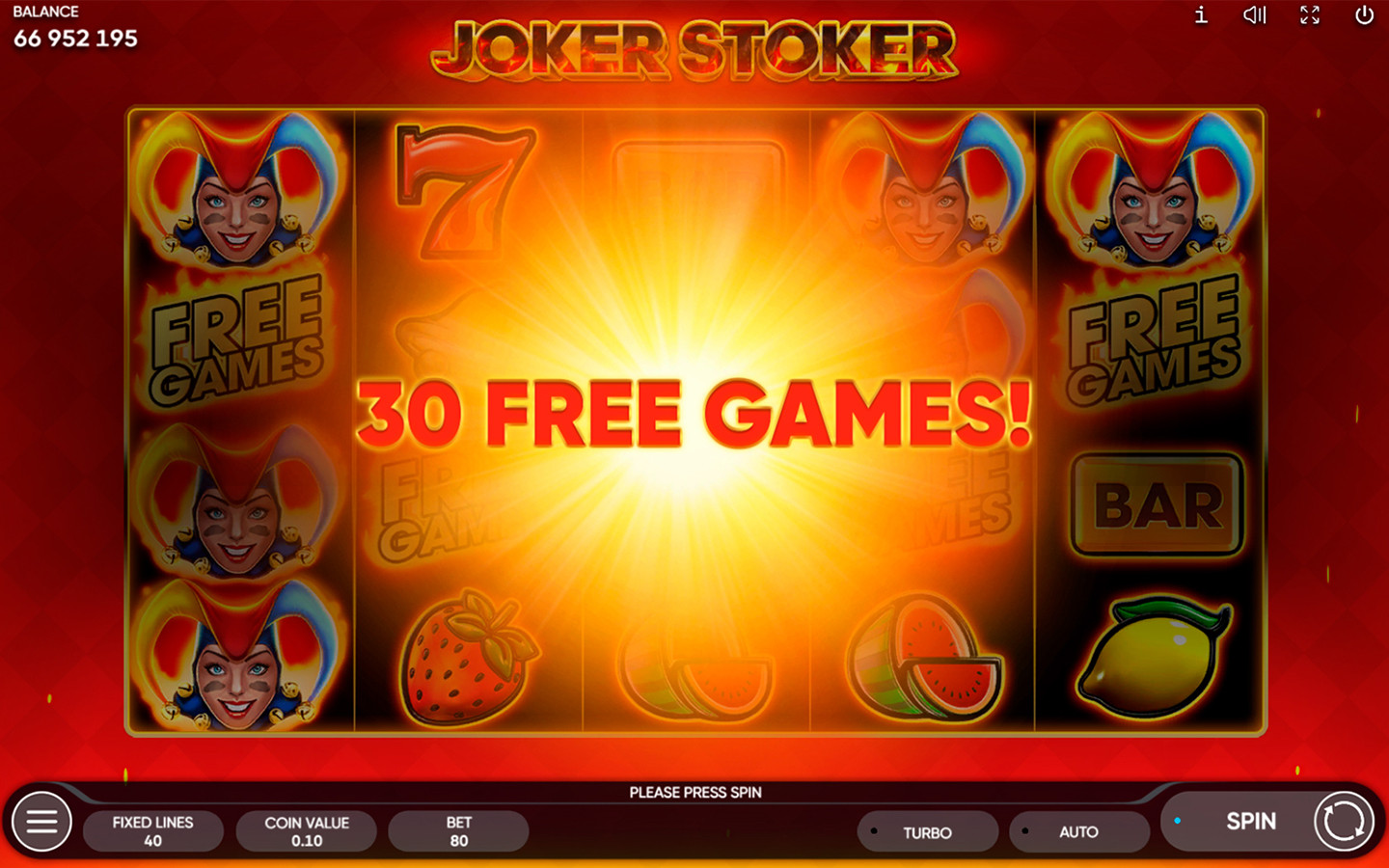
| Actual Scatter count | Initial award |
|---|---|
| 3 | 10 Free Games |
| 4 | 20 Free Games |
| 5 | 30 Free Games |
The Scatters can land anywhere on the reels. They don’t need to start on the first reel or follow one line, because those conditions only apply to ordinary line combinations. And the other way round, the Wild can’t raise the Scatter count.
The English help says Free Games keep the initial stake and can be won again during the feature. It gives no separate retrigger schedule, no fixed three-game addition and no retrigger limit.
The inspected English Wild, Free Games and Rules sections mention no extra win multiplier for Free Games. They support neither a 2× bonus nor the idea that every client uses 1×.
“Free Games” is also the name of a feature inside the game, not a casino’s promotional offer. An offer that gives you free spins has its own terms. The Scatter schedule can’t tell you whether you qualify for such a promotion, what the wagering requirements are or when you can withdraw.
Read a Bonus Pop purchase as an entry cost
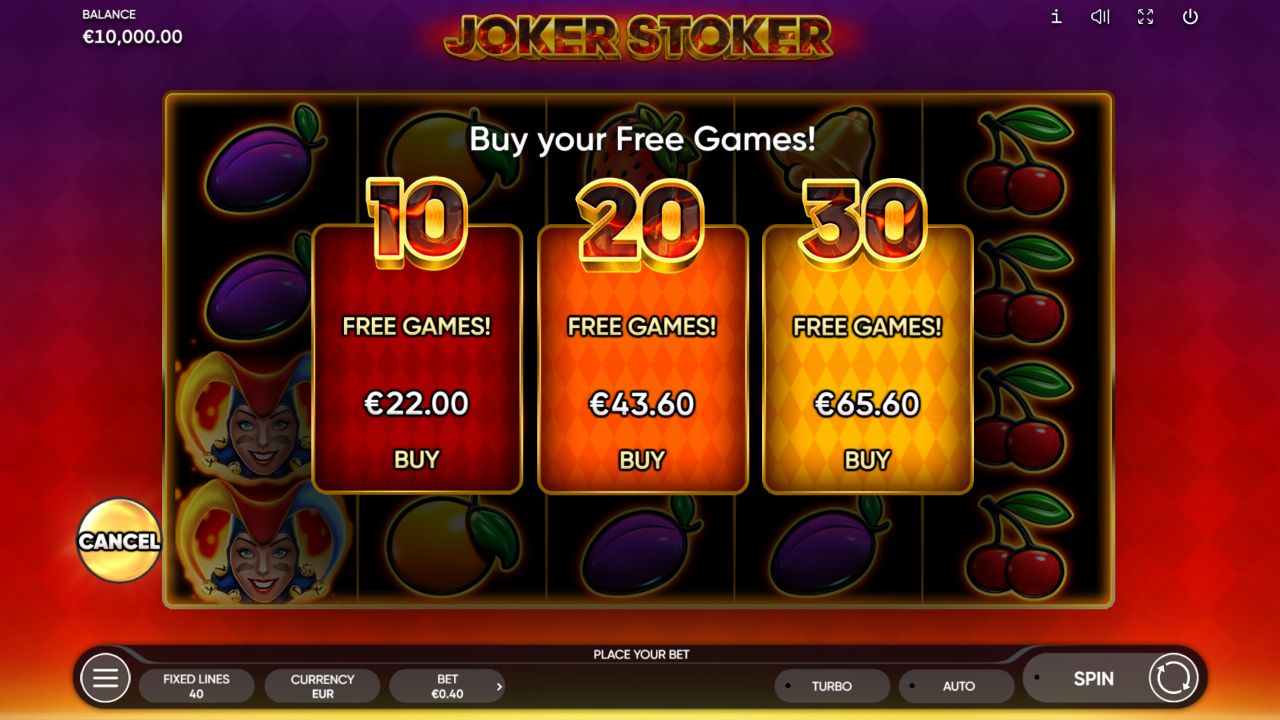
Where the feature is offered, Bonus Pop is a paid way into Free Games. At a €0.40 total stake, the inspected price panel showed three choices:
| Free Games package | Full displayed price | Calculated cost / total stake |
|---|---|---|
| 10 | €22.00 | 55× |
| 20 | €43.60 | 109× |
| 30 | €65.60 | 164× |
Each multiple divides the package price on screen by the same €0.40 total stake. The calculation assumes the recorded EUR configuration and shows what access costs. It doesn’t show a cash award, the chance of making a profit or what each Free Game is worth. Check the full price before you choose a package: the ordinary spin stake isn’t the whole cost of the purchase.
According to the help, the purchase activates through a main-game spin that contains the Scatters needed for the selected feature. After that, the Free Games follow the same rules as a natural trigger. This describes the documented sequence. We didn’t make a purchase during the inspection.
Wins from Bonus Pop can’t be taken into the Risk Game. The help also says some operators may leave Bonus Pop out, so check whether your client offers it.
The help gives a separate return range for the game including Bonus Pop. The package prices alone don’t tell you which package matches which return figure. The RTP and configuration explanation covers that open question.
Follow the Risk Game's card outcomes
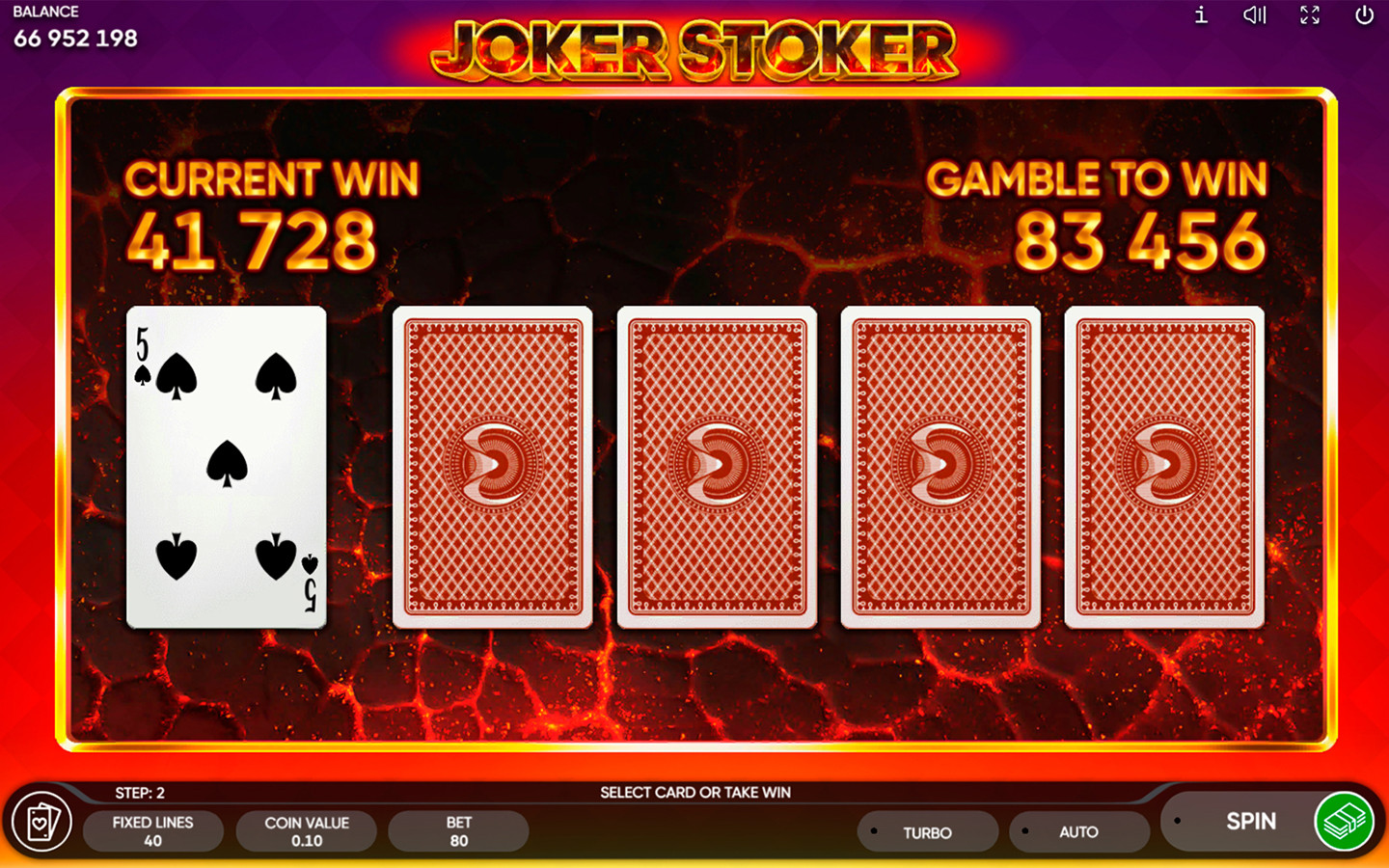
The optional Risk Game puts an amount you’ve already won at risk. As documented, you pick one of four face-down cards to compare with the dealer’s card. It isn’t a red-or-black choice. The comparison can end in three different ways:
| Comparison | What happens to the amount at risk |
|---|---|
| Your card is higher | The amount doubles |
| Your card is lower | The amount is lost and the Risk Game ends |
| The cards tie | The amount stays the same and another round starts |
The rules allow up to ten attempts. Take Win stops the risk and collects the win. Your Joker beats any card, and the dealer is never dealt a Joker.
Four card positions don’t mean four equally good choices. The help says the cards aren’t distributed evenly, and all four can be higher or lower than the dealer’s card. So the layout doesn’t guarantee that one of the four cards will win.
The listed 84% average RTP per Risk Game round applies if you play without looking at the dealer’s card. It’s a return figure, not an 84% chance of winning a comparison. The help also gives return figures that depend on the dealer’s card, and this guide doesn’t turn them into a way of choosing cards. The Risk Game’s return isn’t included in the main game’s RTP.
Resolve a result that looks wrong
Before you decide a result doesn’t make sense, work out which rule you expected to apply. These checks cover the usual reading mistakes. They don’t assume that any particular round we didn’t see was settled correctly.
| Question about the result | First check |
|---|---|
| Matching fruit didn’t make the line you expected | Trace a listed line from the leftmost reel, without skipping a gap |
| A four-symbol award looks smaller than expected | Use the four-symbol cash column at your selected stake, without adding the three-symbol amount |
| Several Jokers didn’t trigger Free Games | Count the real Scatters; Wild substitution doesn’t cover them |
| A Wild didn’t fill the reel | Look at which positions it covers; stacks can cover only part of a reel |
| A Bonus Pop win has no way into the Risk Game | Check the documented exclusion for those wins |
If you still have a question after that, keep the title, the selected stake, the currency and the relevant help wording together. A screenshot of symbols without the line path or the stake can miss exactly the detail that explains the amount. Don’t fill the gap with rules from Dice or another slot.
Use the rules to understand what you're risking
A paytable tells you what a qualifying result is worth. It doesn’t tell you how often that result happens, and it can’t predict anything from earlier spins. Nothing here supports a timing trick, a stake sequence or a way to win back an earlier loss.
When you decide how much to spend, keep three amounts apart: the total stake of a main spin, the full price of a Bonus Pop package and the win you put into the Risk Game. They’re different commitments. Time and spending limits can cap what you’re risking, but they can’t make any symbol combination more likely.
For the remaining maths questions, go on to the specifications and evidence guide. It explains why a known line award, a stated RTP and an unknown hit frequency have to be kept apart.
Frequently asked questions
How do I check whether a zigzag combination is a winning line?
Use the line diagrams in the information panel. Follow one diagram from the leftmost reel across the neighbouring reels, then compare how many qualifying symbols you have with the paytable at your selected stake. Matching symbols sitting close by on a different path don't complete that line.
Do three and four matching symbols both pay on a four-symbol line?
No. Each line pays only its highest qualifying combination, so the shorter combination isn't added on top of the longer one. Wins on separate lines are added together.
Can a Joker complete two Scatters to start Free Games?
No. The Joker substitutes for eligible ordinary symbols, but Scatter is expressly excluded. Count the real Free Games Scatter symbols separately from Wilds.
Can I combine gold and red sevens because their awards match?
No. Equal amounts in the paytable don't make the two sevens the same symbol. Read each symbol row on its own and apply the Wild substitution rule where it fits.
Is the five-Wild amount based on a line stake?
No. The recorded €20.00 award was shown at a €0.40 total stake. The 50× figure divides that line award by the total stake. It isn't a line-stake multiplier, and it isn't a claim about the overall maximum win.
What should I check before choosing a Bonus Pop package?
Read the selected total stake, the currency, the number of Free Games and the full purchase price together. The price buys entry to the feature. It doesn't promise that amount back. Under the inspected rules, wins from a purchase can't go into the Risk Game.
What happens when the Risk Game cards tie?
The amount at risk stays the same, and the rules start another round. A tie is neither a successful doubling nor a lost comparison.
Does this guide tell me the Auto or Turbo stop settings?
No. Those buttons were visible during the desktop inspection, but we didn't test how they work, their limits or when they stop. Seeing a button doesn't tell you how automatic play is configured.
Sources for this material

Author Anthony Rodrigez
Editor Bernard K